
Splunk
As a Splunk partner, we help make machine data accessible, usable and valuable to everyone across the enterprise.
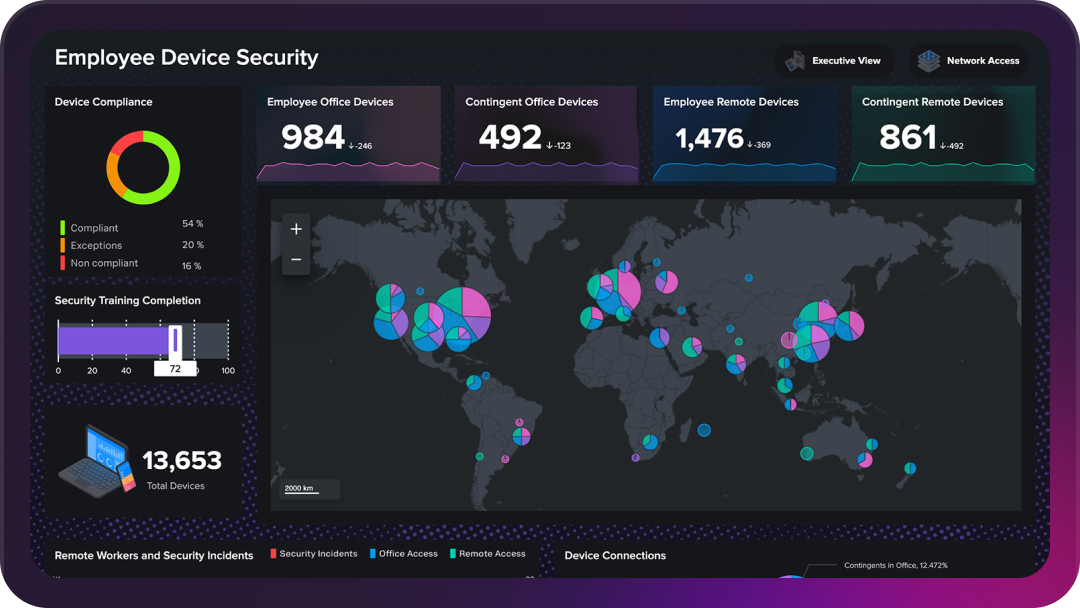
Avocado is a long-standing, fully-accredited Splunk Premier Partner — certified to 'sell' and 'manage' Splunk, and one of the few Australian consultancies able to provide Splunk Managed Services.
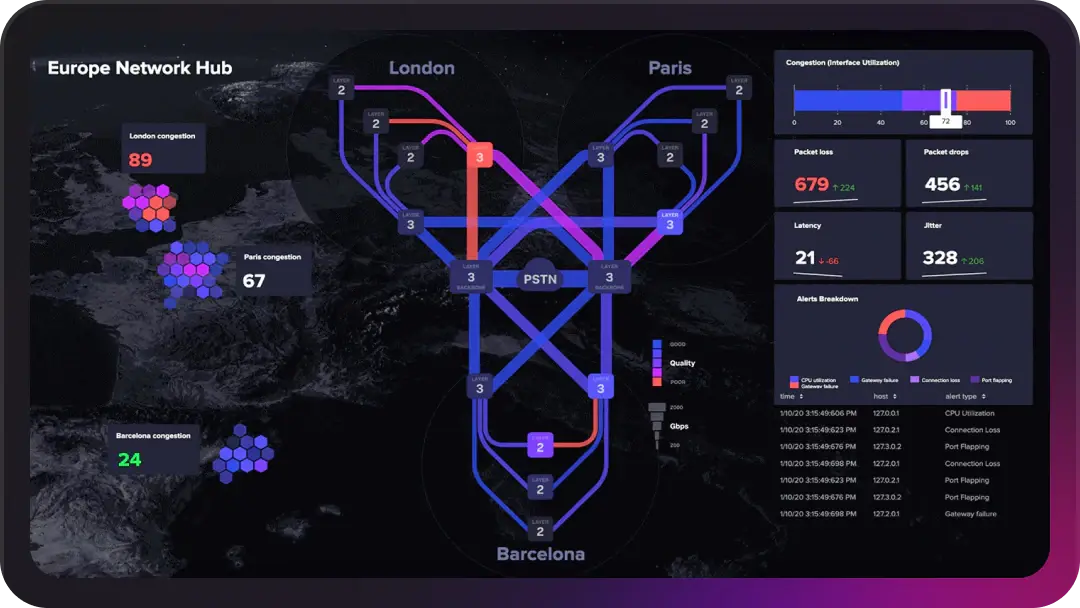
Support innovation, increase security and get the most out of your data
- Avocado is proud to have one of the largest cohorts of certified Splunk Consultants in Australia, making us the perfect partner to unlock the platform's full potential.
Avocado and Splunk


Avocado is a long-standing, fully-accredited Splunk Premier Partner — certified to 'sell' and 'manage' Splunk. This allows Avocado to assist clients with professional services, capabilities and licences, and makes us one of the few Australian consultancies able to provide Splunk Managed Services.
Together, we have a strong, proven track record of assisting organisations in unlocking innovation, enhancing security and powering operational resilience. Solutions are tailored to meet your needs, and you have the flexibility to design specific services to match your requirements.
Planning, strategy development, implementation and continued optimisation happen in collaboration with our dedicated Splunk team of certified experts who receive ongoing training to support best-practice delivery.
Implementation and optimisation services
Avocado is a Splunk partner, supporting clients with optimising outputs from investments in Splunk. Our services cover all aspects of implementation and optimisation of Splunk solutions.

Splunk observability
Solve problems in seconds with full-stack observability and monitoring. Gain insight into applications, infrastructure and IT services, and predict issues before they occur.

Splunk automation
Automate security processes and free up security personnel to focus on strategic initiatives. Identify, prioritise and carry out security operations faster and on more in-depth information.

Splunk security and SOAR
Orchestrate security workflows with Splunk Security Orchestration and Response. Become more proactive with seamless integration of an end-to-end platform.

Security monitoring
Data-driven insights across your business with complete visibility, increasing the speed of threat recognition.
How Avocado optimises Splunk outcomes
As a Splunk partner, our related offerings give clients ease of mind that their investments are being addressed. Our approach is based on core qualities.
Managed Service
Avocado's Splunk Managed Service offers flexible operational management and support from certified experts so you can derive maximum value from your Splunk platform.
Tailored approach
Designed to match your needs and requirements today — and in future.
Multiple environment support
Covering all aspects of deployment, management and maintenance of on-premise, hybrid or cloud environments.
Certified experts
Our dedicated Splunk practice has a team of certified experts who receive ongoing training to support best-practice delivery.
Embedded training
Tailored training sessions across a wide range of topics unique to Splunk or Avocado, delivered in formal and informal settings.
Flexible payment options
A service tailored to you, with multiple payment options designed to fit your organisation.
24×7 customer service
Support available anytime, so you can deliver an exceptional customer experience.
Splunk Admin Ninja App & Add-On
Splunk environments expand fast — across Splunk Enterprise and Splunk Cloud — and as deployments grow and new use cases land every week, managing them gets complex. Avocado built the Admin Ninja Technical Add-on and App, created by our Splunk consultant Raymond McCullagh, to make that easier.
The Admin Ninja app lets Splunk admins monitor and understand their environments better than ever — without consulting 50 As-Built or Solution Design documents to do it.
- Automate manual administrative tasks
- Increase visibility across your whole Splunk estate
- Strengthen security and auditing
- Help leadership understand Splunk ROI
- Uncertainty about where apps and add-ons are deployed
- Incomplete visibility of data sources
- Hard-to-assess dashboard, saved search and datamodel dependencies during migrations
- Unclear admin access levels across environments
The Admin Ninja Technical Add-on collects Splunk component data through REST API calls, so you can audit, view and track everything remotely from the Search Head App — including:
- Dashboards
- Deployment Server classes and clients
- Alerts and reports
- Additional REST API endpoint data
Admin Ninja documentation
Overview
The Admin Ninja App is a Search Head app, paired with the Admin Ninja TA, designed by Splunk administrators to enhance management. It retrieves Splunk instance data through REST API calls and converts the results to JSON for aggregation and tracking.
Splunk doesn’t log everything about itself — Admin Ninja fills that gap, giving you detailed tracking of configurations, settings, users and messages across a distributed environment. The Search Head app aggregates and organises the data the TA ingests, offering environment-wide visibility comparable to the Monitoring Console, with additional coverage.
Install
Splunk Enterprise
Manual install: download from Splunkbase, then Apps > Manage Apps > Install app from file, upload the package and restart Splunk.
Via Deployment Server: extract to $SPLUNK_HOME/etc/deployment-apps/ and configure a serverclass per Splunk documentation.
Via Search Head Deployer: extract to $SPLUNK_HOME/etc/shcluster/apps and push out per Splunk documentation.
Via Cluster Master: extract to $SPLUNK_HOME/etc/manager-apps/ and push out per Splunk documentation.
Splunk Cloud
Classic: raise a request to Splunk Cloud Support with app IDs 6665 & 6664.
Victoria: Apps > Manage Apps > Browse more apps, search for ‘Admin Ninja’ and install both the SH App and the TA.
Setup & Config
Search Head App — configure macros
Go to Settings > Advanced Search > Macros and edit:
- ninja_index — default
index=main; set your target index. - ninja_summary — default
summary; excludes ‘index=’. - ninja_blacklist_apps — filters unwanted apps from dashboards.
- ninja_blacklist_messages — filters common UI messages.
Alerts & reports: Settings > Searches, reports and alerts — filter by app and add the alert actions you need (email, etc.).
Technical Add-on — setup
- Determine the inputs required per Splunk instance.
- Configure via the UI (Settings > Data Inputs) or
inputs.conf. - Specify: Name, Maximum Entries (use 0 unless testing), Interval (seconds), Index.
Example inputs.conf:
[ninja_apps://apps]
index = adminindex
interval = 3600
maximum_entries = 0

[ninja_authtokens://auth tokens]
index = adminindex
interval = 3600
maximum_entries = 0
Splunkbase input (optional): requires ninja apps data ingestion, enabled lookup generation, and connectivity to splunkbase.splunk.com. On Splunk Cloud, configure outbound ports via the admin API. Enable via Settings > Data Inputs > Admin Ninja: App Support Details.
Data Description
Recommended inputs by server type:
| Input | Script | Sourcetype | Recommended servers |
|---|---|---|---|
| Apps | ninja_apps.py | ninja:apps | All instances |
| Authentication Tokens | ninja_authtokens.py | ninja:authtokens | All instances |
| KV Store Status | ninja_kvstatus.py | ninja:kvstore | All instances |
| Messages | ninja_messages.py | ninja:messages | All instances |
| Disk Partitions | ninja_partitions.py | ninja:partitions | All instances |
| Roles | ninja_roles.py | ninja:roles | All instances |
| Server Info | ninja_server_info.py | ninja:serverinfo | All instances |
| Users | ninja_users.py | ninja:authentication | All instances |
| Deployment Server Apps | ninja_ds_apps.py | ninja:dsapps | Deployment Server |
| Deployment Clients | ninja_ds_clients.py | ninja:dsclients | Deployment Server |
| DS Serverclasses | ninja_ds_serverclasses.py | ninja:dsserverclasses | Deployment Server |
| HEC Tokens | ninja_hec_tokens.py | ninja:httpinputs | Heavy Forwarders / Indexers |
| Indexes | ninja_indexes.py | ninja:indexes | Indexers |
| License Pools | ninja_license_pools.py | ninja:licenserpools | License Master |
| Config Directory | ninja_configdir.py | ninja:configdirectory | Search Heads |
| Dashboards | ninja_dashboards.py | ninja:dashboards | Search Heads |
| Datamodels | ninja_datamodels.py | ninja:datamodel | Search Heads |
| Eventtypes | ninja_eventtypes.py | ninja:eventtypes | Search Heads |
| Lookups | ninja_lookups.py | ninja:lookups | Search Heads |
| Macros | ninja_macros.py | ninja:macros | Search Heads |
| Calculated Fields | ninja_calcfields.py | ninja:calcfields | Search Heads |
| Savedsearches | ninja_savedsearches.py | ninja:savedsearches | Search Heads |
Note: the License Pools input is not supported on Splunk Cloud.
Troubleshooting
Log files
$SPLUNK_HOME/var/log/splunk/splunkd.log$SPLUNK_HOME/var/log/admin_ninja/$scriptname$.log
A message of ‘No data to retrieve! Likely no config item exists in Splunk for this endpoint type’ means there is no data at that endpoint.
Recommended searches
- Internal splunkd log:
index=_internal host=$host$ sourcetype=splunkd TA_admin_ninja (ERROR OR WARN OR FATAL) - TA logs:
index=_internal host=$host$ sourcetype=admin_ninja:log source=*$scriptname$.log
Known Issues
- Disk Partitions endpoint failure: an initial Splunk restart may cause the endpoint to malfunction; it typically resolves within 5–10 minutes as the system recalculates partition sizes.
- Search Head inputs failure: inputs don’t run on Search Heads in Classic (non-Victoria) Splunk Cloud environments.
Upgrading
Follow the installation steps with the update option checked. Version-specific notes:
- 1.0.0 → 1.0.1: no special requirements.
Release Notes
Admin Ninja App v1.0.2
Fixed: App Support lookup now retrieves the latest result per app (MAD-49); disk availability % panel corrected on the Architecture page (MAD-56); multiple deployment servers now display in the DS dashboard dropdown (MAD-57).
Changes: Architecture table enhanced with CPU cores and memory details (MAD-58).
Admin Ninja App v1.0.1
Fixed: Auth Tokens dashboard limit argument (MAD-34); mount-point info panel field references (MAD-35); export value syntax in default.meta (MAD-36); app permissions adjusted from read-all default (MAD-42); old indexes nav item removed (MAD-40).
New: Splunkbase API scanning for app compatibility/version (MAD-18); Calculated Fields in KO Content Search (MAD-11); Configs & Objects dashboard replaced by HEC Tokens dashboards (MAD-39); ninja_blacklist_apps and ninja_blacklist_messages macros; license expiry alert; unique-count panels on Apps & Users dashboards.
Changes: index-time filters converted to tstats for dynamic results; enhanced dashboard descriptions; minor dashboard bugfixes (MAD-41); Architecture & Health panels revised.
Admin Ninja TA v1.0.1
Fixed: Savedsearches input now works on Splunk Cloud (MAD-27).
New: Splunkbase API integration for app compatibility scanning (MAD-18); Calculated Fields input (MAD-11); Splunk Licenses input for License Master data; default maximum_entries set to 0 (MAD-37).
Changes: Apps input filters core apps from API calls; improved API request handling; no-results events logged to the admin_ninja:log sourcetype instead of splunkd.
Get certainty from your Splunk investment
With Avocado, you get certainty that your Splunk infrastructure is appropriately upgraded, patched and secure. We also assist with integrations with other critical business systems.